💳 Pay Now |
✍️ Learning Center

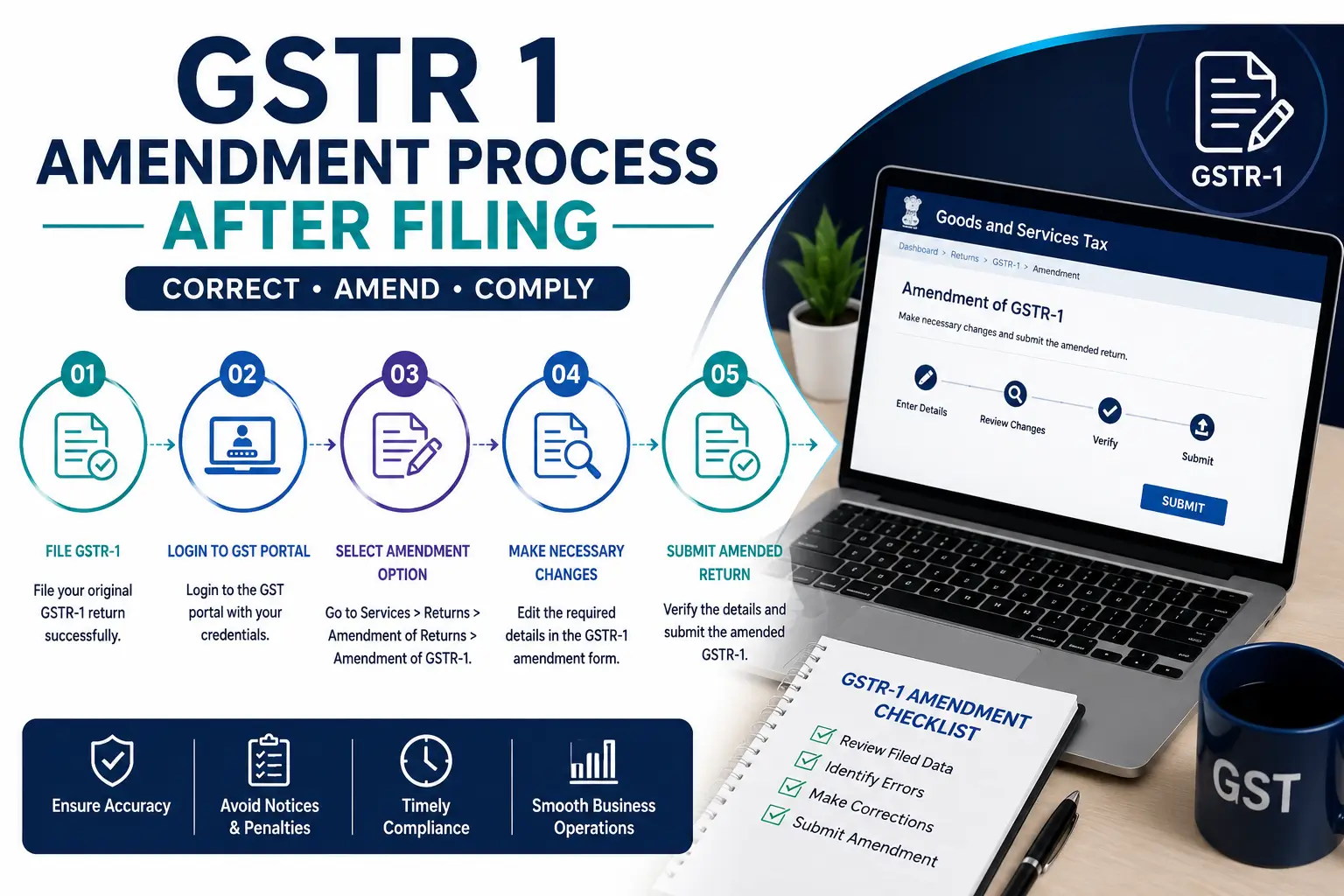
Entered the wrong invoice number, taxable value or GSTIN in a filed GSTR-1? It can still be corrected. Here's exactly how the amendment process works, and how our team handles it for you.
Amendment support is available for filing plan customers. Need help right now? WhatsApp us at +91 98182 09246 or call the same number.
Once GSTR-1 is filed for a tax period, its details cannot be edited within that same return. Instead, GST law allows you to correct the error in a later period's GSTR-1, using the amendment tables (Table 9A, 9B and 9C) meant specifically for revising invoices, credit/debit notes and export details already reported earlier.
In practice, this means if you find a mistake in March's GSTR-1 after filing it, you don't reopen March — you report the correction in April's (or any subsequent period's) GSTR-1 amendment table, referencing the original invoice or note number. The corrected figures then flow into your GSTR-3B and your buyer's GSTR-2B for input tax credit purposes.
Amendments are time-bound: they must generally be made by the earlier of the due date for filing the return for September following the end of the financial year, or the date of filing the relevant annual return. If you're unsure whether your correction window is still open, our team can check this before starting the amendment. See our GST annual return filing service if your amendment deadline is close to the annual filing date.
An unamended error in GSTR-1 doesn't just sit quietly — it can block your buyer's Input Tax Credit and trigger a mismatch notice months later.
Incorrect invoice details in your GSTR-1 can block your customer from claiming ITC until the error is amended.
Uncorrected errors widen the gap between your two returns, a common trigger for automated department notices.
Amendments bring your filed returns back in line with your actual sales register and accounting records.
Correctly referencing the original invoice avoids double-counting turnover or omitting it entirely.
Unresolved mismatches surface again during GSTR-9 reconciliation — fixing them early avoids year-end scramble.
A consistent, error-free filing history supports loan applications, tenders and vendor onboarding checks.
If any of these happened after you filed, an amendment is likely the right next step.
A typo in the buyer's GSTIN or taxable value reported.
A note issued after filing that needs to be added.
Incorrect GST rate or classification applied on an invoice.
A registered buyer's invoice wrongly reported as unregistered.
Share the following so our team can identify the error and file the correct amendment in the next available return.
A simple 3-step process to get an already-filed GSTR-1 error corrected in the right return period.
Call or WhatsApp +91 98182 09246, or email help@setupfiling.in with the invoice you need corrected.
Our team checks the original filed period and maps the correction to Table 9A, 9B or 9C as applicable.
The correction is filed in your next available GSTR-1, and you receive confirmation once it reflects on the portal.
GSTR-1 amendments are reported in specific tables depending on what type of detail is being corrected.
| Table | Used For | Typical Correction |
|---|---|---|
| Table 9A | Amendment of B2B invoices | Wrong GSTIN, invoice value, tax rate or invoice number |
| Table 9B | Amendment of credit/debit notes | Missed or incorrectly reported notes issued to registered buyers |
| Table 9C | Amendment of B2C large invoices | Corrections to high-value invoices for unregistered buyers |
| Table 10 | Amendment of B2C (others) supplies | Corrections to aggregate B2C turnover figures |
Not every error needs the same table — filing a correction in the wrong table can create a fresh mismatch. See our GST registration and return filing overview if you're also unsure which base return category applies to you.
Here's the typical sequence once a correction is reported in a later GSTR-1.
The corrected invoice or note appears in the relevant amendment table of the return being filed.
Your buyer's auto-drafted GSTR-2B reflects the corrected figures for their next ITC claim.
Any change in taxable value or tax amount flows into your GSTR-3B liability for the amendment period.
If the error had triggered a GSTR-1 vs GSTR-3B mismatch flag, it typically clears once the amendment syncs.
Amendments touch both GSTR-1 and GSTR-3B, and filing the correction in the wrong table or wrong period can create a second error on top of the first.
Everything a business needs to stay accurate and compliant on GST, in one place.
No, once GSTR-1 is filed for a period, it cannot be edited within that return. Corrections are made through the amendment tables in a subsequent period's GSTR-1.
Amendments must generally be filed by the earlier of the due date for the return covering September following the end of the financial year, or the date the annual return is actually filed.
For B2B invoices, corrections go in Table 9A. For high-value B2C invoices, Table 9C applies. Credit and debit note errors are corrected in Table 9B.
Yes, if the amendment changes your taxable value or tax amount, that difference is reflected in your GSTR-3B liability for the period in which the amendment is filed.
No, once you file the amendment, the corrected details automatically update in the buyer's GSTR-2B for their next input tax credit claim.
Yes, an invoice can be amended again if a further correction is needed, as long as it is still within the permissible amendment window.
Yes, an incorrect buyer GSTIN is one of the most common amendments and is corrected through Table 9A by reporting the original invoice with the correct GSTIN.
It can be. Mismatch notices often arise from an unamended error between GSTR-1 and GSTR-3B, and filing the correct amendment is usually the first step to resolving it.
Yes, since the amendment is filed on the GST portal, either your login access or authorisation to file on your behalf is required.
Amendment support is available for active filing plan customers as part of ongoing return preparation; call or WhatsApp +91 98182 09246 to check what applies to your case.
Join 50,000+ customers who trust SetupFiling.in for accurate GST return filing and amendments.